

Why These Myths Keep Spreading
Battery advice gets passed around like folk wisdom - shared by well-meaning friends, tech forums, and comment sections. The problem is that most of this advice dates to the era of nickel-cadmium (NiCd) batteries, which had a genuine "memory effect" that required full discharge cycles. Today's smartphones almost universally use lithium-ion (Li-ion) chemistry, which behaves very differently. Understanding that distinction is the key to separating fact from fiction.
For more on how everyday devices quietly misbehave, see our look at how digital clutter drains your battery and performance.
Myth
You should always drain your battery to 0% before charging it again.
Fact
Fully draining a lithium-ion battery regularly actually shortens its lifespan. Partial charges are healthier.
This rule applied to older NiCd batteries that suffered from a "memory effect" - they needed full discharges to maintain accurate capacity readings. Lithium-ion batteries have no such memory effect. In fact, deep discharges (letting the phone die completely) are a form of stress on Li-ion cells. Battery engineers generally recommend avoiding regular full discharges and instead keeping the charge level somewhere in the middle range for everyday use.
Myth
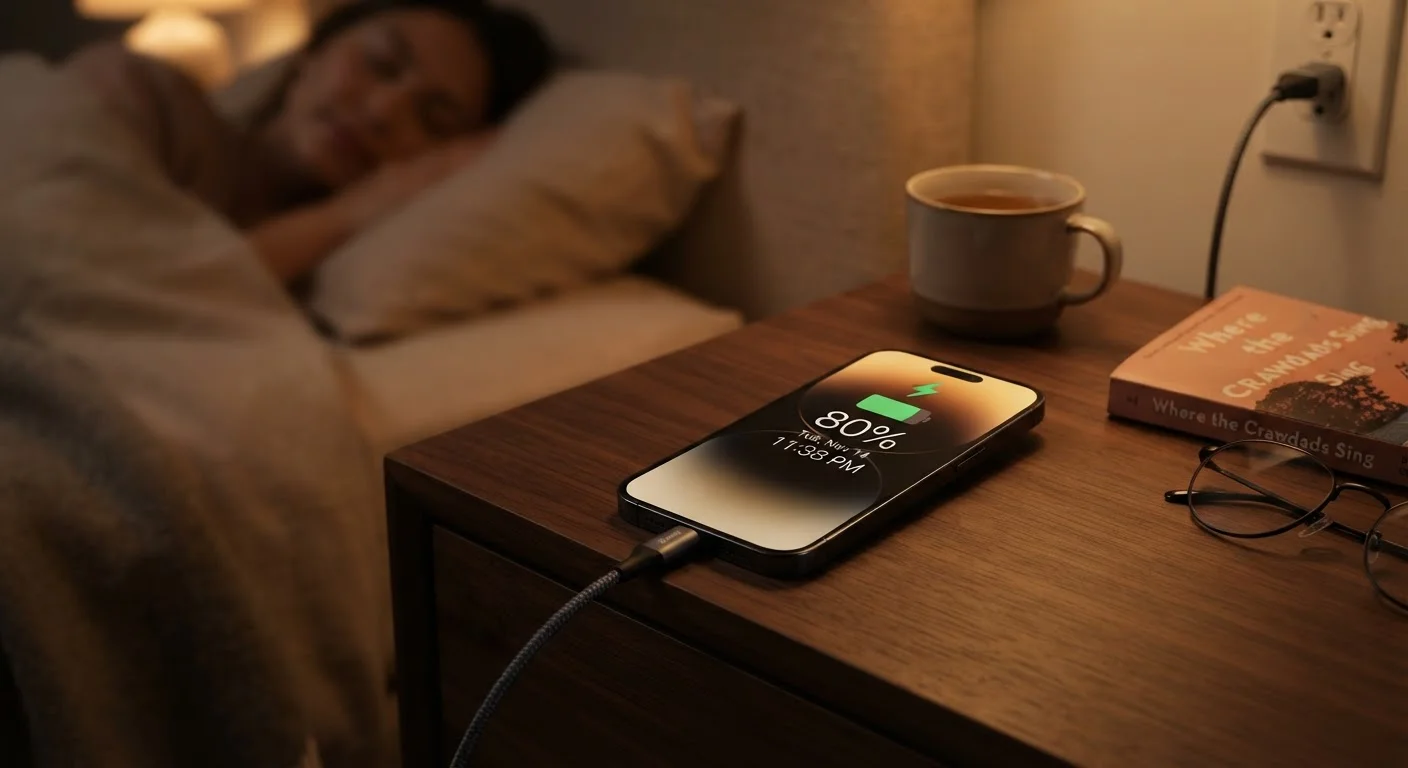
Charging your phone overnight will ruin the battery.
Fact
Modern smartphones stop drawing full charge current once they reach 100%, so overnight charging is generally safe.
Contemporary phones include battery management systems that taper the charging current as the battery approaches full capacity. Many devices also offer "optimized" or "scheduled" charging modes that learn your routine and deliberately pause at around 80% until just before you typically wake up, reducing the time spent at maximum charge. That said, sustained high temperatures during overnight charging - from a case that traps heat, for example - can still contribute to gradual degradation over time.
Myth
More charging cycles always means a worse battery.
Fact
Partial charge cycles count as fractions of a full cycle, so frequent top-ups don't necessarily use up cycle life faster.
Battery cycle life is measured in full equivalent cycles - going from 100% to 0% and back. Charging from 50% to 100% counts as roughly half a cycle. This means plugging in frequently for short sessions doesn't mechanically eat through your cycle count the way a full discharge-and-recharge would. The practical takeaway: don't avoid charging out of fear of using up cycles. Letting the battery drain deeply is generally more damaging than topping it up regularly.
Myth
Third-party chargers are just as good as the one that came in the box.
Fact
Charger quality varies significantly; uncertified accessories can deliver unstable power that stresses battery hardware.
Not all chargers are manufactured to the same standards. Certified chargers - those carrying marks from recognized testing bodies appropriate to your region - are designed to deliver stable voltage and current within safe tolerances. Cheap, uncertified alternatives have in some cases been documented to deliver inconsistent power, which the phone's battery management system has to compensate for. Over time, this adds stress. Reputable accessory brands or your device manufacturer's certified options are a safer choice.
Myth
Closing all your background apps saves battery life.
Fact
Aggressively force-closing apps can actually increase battery use, because reopening them from scratch takes more power.
Modern mobile operating systems are designed to manage background app activity efficiently. Apps suspended in the background consume minimal resources. When you force-close them and then reopen them, the processor has to reload the app entirely - a process that draws more power than simply resuming a suspended session. The main exception is apps that actively use GPS, audio, or continuous data in the background; those are worth closing individually rather than sweeping everything away.
Myth
Keeping your phone plugged in all day while you work will damage it.
Fact
Staying plugged in at a stable charge level is low-stress for a lithium-ion battery, especially with modern power management.
When a phone is fully charged and still connected to power, the battery management system effectively bypasses the battery and runs the device on direct power from the charger. The battery isn't being actively cycled. Where issues can arise is if the phone also runs hot during this period - from heavy processor load, a warm environment, or a case that retains heat. Managing temperature matters more than worrying about the act of staying plugged in.
What Actually Damages Your Battery
Once the myths are cleared away, a clearer picture emerges of what genuinely shortens battery life. The two biggest culprits are heat and deep discharge cycles. Lithium-ion cells degrade faster when they experience sustained high temperatures - leaving your phone on a hot car dashboard or running graphics-heavy apps while charging simultaneously generates the kind of heat that measurably reduces capacity over time.
Heat Is the Biggest Battery Threat
Sustained exposure to high temperatures - such as leaving your phone in direct sunlight, on a hot dashboard, or running intensive apps while charging - causes measurable lithium-ion cell degradation over time. This effect is cumulative and not reversible. Keeping your device cool during charging and heavy use is one of the most effective things you can do to preserve battery health long-term.
Charge cycles also matter. Each full 0-100% cycle uses up a small portion of the battery's rated cycle count - typically 300 to 500 full cycles before noticeable degradation appears, though this varies by manufacturer. Keeping charges in the 20-80% range effectively makes each charge count as a partial cycle, stretching that total further.
The quality of your charging accessories also plays a real role. Using uncertified, low-quality chargers can deliver unstable voltage, which stresses the battery's management circuitry. Stick to chargers that carry recognized safety certifications for your region. For a parallel look at how myths around maintenance costs can mislead consumers, the piece on car maintenance myths that quietly drain your wallet makes an instructive comparison.
Practical Habits That Actually Help
Armed with accurate information, a few simple habits can make a meaningful difference in how long your battery stays healthy:
- Charge little and often. Plugging in for short periods throughout the day is better for Li-ion than waiting for a deep discharge.
- Avoid extreme temperatures. Don't leave your phone in a hot car or exposed to direct sunlight for extended periods.
- Use your manufacturer's charging tools. Many phones now include adaptive or scheduled charging features that slow the final charge rate overnight to reduce stress.
- Check your battery health periodically. Both iOS and Android offer built-in diagnostics showing current maximum capacity relative to when the battery was new.
If your phone is running out of storage alongside battery issues, our guide on what "Storage Full" really means on your phone can help you address both problems together. And for readers curious how battery myths compare to misconceptions in other categories, see how car battery health works by similar principles.
The content on this site is provided for informational purposes only and should not be considered a substitute for professional advice. While we strive to provide accurate and up-to-date information, we make no guarantees regarding its completeness or accuracy. Always consult a qualified professional for advice specific to your circumstances before making any decisions.