

Summary
22 items · 30-60 minutes
Why Digital Clutter Is a Real Performance Problem
Most people think of a slow phone or laptop as a hardware problem - something that only a new device can fix. In many cases, the culprit is something far more fixable: accumulated digital clutter that builds up invisibly over months or years of normal use.
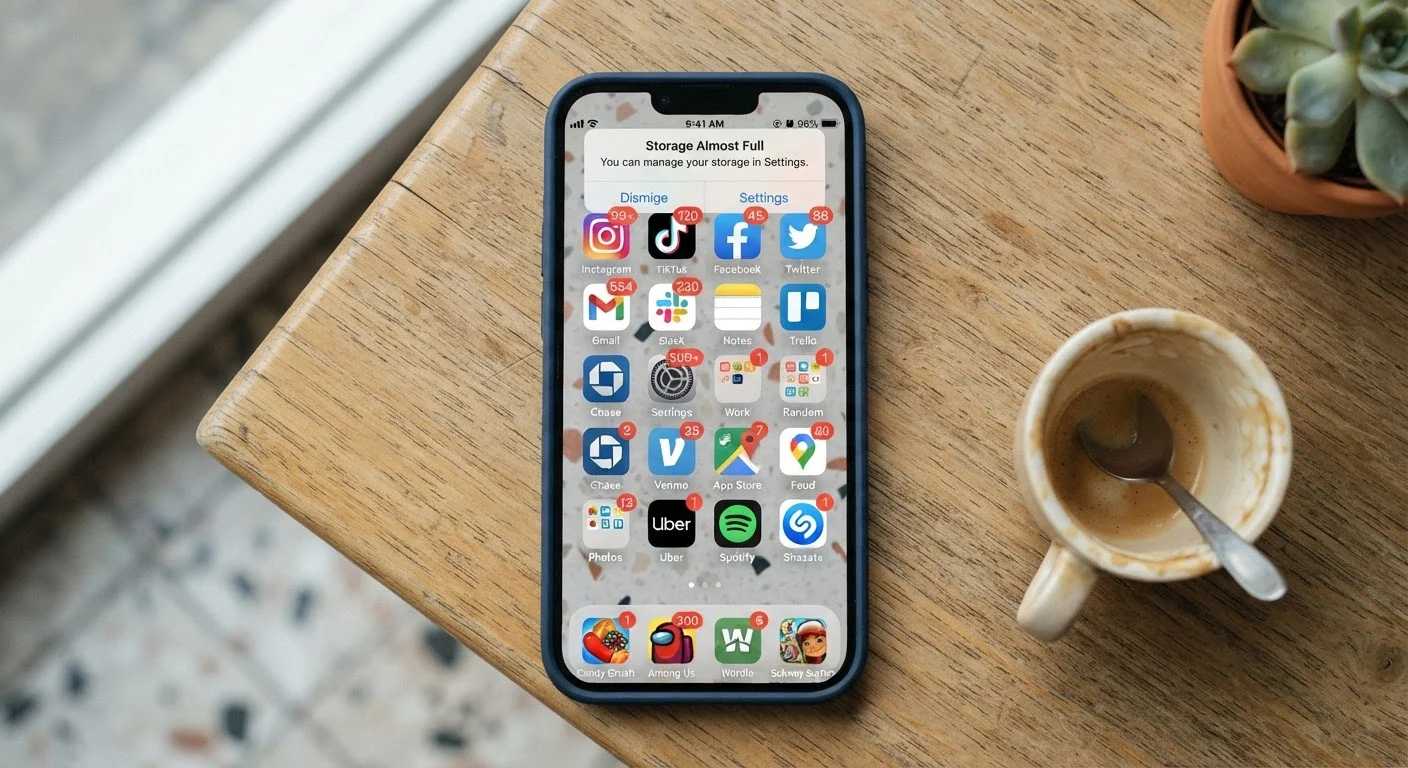
Clutter on a device isn't just a visual mess of too many app icons. It takes several concrete forms: apps running in the background consuming processor cycles and battery, cached data filling storage until the system struggles to write new files, notification streams that fragment your attention dozens of times per day, and forgotten subscriptions quietly billing your credit card. Each of these has a measurable cost.
Storage constraints alone can cause noticeable slowdowns. When a phone's storage is nearly full, the operating system has less room to write temporary files it needs to function smoothly - a phenomenon explained in more depth in our article on what 'Storage Full' really means on your phone. And if you want to understand how storage interacts with your device's other hardware, our piece on phone storage, RAM, and processors covers the relationship clearly.
The checklist below organizes this audit into manageable categories so you can work through it section by section rather than facing the whole problem at once.
Background Permissions Are Silent Performance Drains
Apps with 'Always On' location access, unrestricted background refresh, and persistent microphone permissions continue consuming CPU cycles and battery whether you open them or not. Revoking unnecessary permissions is one of the most impactful single steps in this checklist - and it improves both performance and privacy simultaneously. Our guide on app permissions most people accept without thinking walks through what each permission actually grants.
What You'll Need Before You Start
This audit requires no paid software. Everything you need is already on your device - the tools built into your phone's operating system are sufficient for the majority of these tasks.
Built-in Storage Analyzer
Both iOS (Settings > General > iPhone Storage) and Android (Settings > Storage) provide a breakdown of storage by category without needing a third-party app.
Google Photos / Apple Photos Duplicate Detection
Native duplicate-finding tools in both photo platforms help you identify and merge or delete redundant images without manual comparison.
Subscription Management (App Store / Google Play)
The subscriptions section in your platform's app store lists every active paid subscription tied to your account so you can cancel unused ones in one place.
Battery Usage Report
Found in Settings > Battery on most devices, this report shows which apps have consumed the most power over the past 24 hours or 10 days.
Email Client Unsubscribe Tools
Many email apps (Gmail, Outlook) surface bulk unsubscribe options that let you remove marketing lists without opening each message individually.
Set aside an uninterrupted block of time. For most people, a first-time audit takes 45-60 minutes. Subsequent quarterly reviews typically take 20-30 minutes once you've done the initial clearing.
The Digital Clutter Audit Checklist
Work through the groups below in order. Storage and app reviews tend to have the most immediate impact on device speed, so those come first. Notification and permission management follow - they matter more for your attention and privacy than raw performance, but are equally worth doing.
Storage audit
App and subscription review
Battery and background activity
Notification management
Security and privacy hygiene
Ongoing maintenance
Deleting an App Doesn't Always Delete Your Data
Removing an app from your device removes the software, but your account and associated data may remain on the developer's servers. If you no longer plan to use a service, look for an account deletion option within the app settings before uninstalling, or contact the developer directly. For more detail, see our article on what happens to your data when you delete an app.
Cancelling a Subscription Mid-Cycle
Most app subscriptions remain active until the end of the current billing period after you cancel - you generally won't receive a prorated refund. Confirm the cancellation confirmation in your email and check again after the renewal date to make sure no charge occurred.
The Attention Cost Nobody Talks About
Performance speed is the obvious casualty of digital clutter. Less discussed is what a cluttered notification environment does to focus and mental load. Research into attention consistently finds that frequent interruptions - even brief ones - impose a cognitive cost beyond the seconds they consume. A phone that pings, buzzes, and banners throughout the day is training you toward a fragmented attention pattern regardless of whether you consciously act on each notification.
This connects directly to broader wellbeing considerations. Our article on everyday habits that quietly erode mental wellbeing covers how doomscrolling and notification overload fit into a pattern of habitual digital behavior that can wear on mental health over time. The notification section of this checklist addresses the technical side - but the behavioral habits around phone use are worth examining too.
Similarly, the financial drag of unused subscriptions echoes patterns covered in our piece on financial habits that quietly undermine savings progress. Small recurring charges, individually invisible, compound into meaningful sums over a year - the same logic that applies to latte budgets applies equally to the six forgotten app subscriptions averaging $8.99/month each.
Keeping It Clear Going Forward
A one-time audit is useful; a recurring habit is what prevents the same clutter from accumulating again. The maintenance group at the end of the checklist is deliberately light - three items that add minutes, not hours, to your quarterly calendar.
Two practices tend to make the biggest long-term difference. First, applying a friction test before installing new apps: if you already have something that does the same job adequately, adding a second option usually means you'll use neither well and eventually forget both. Second, treating free trials as calendar events - set a reminder the day before conversion so you're making an active choice, not a passive one.
For readers managing data across multiple devices and cloud services, our article on cloud storage and local storage explains how to stay in control of what lives where - which is especially relevant once you start clearing local files and want to confirm what's safely backed up before deleting. And for those curious about what smart devices in the home may be doing in the background, our coverage of smart speakers and always-on listening provides a grounded look at how always-on devices actually behave.
The content on this site is provided for informational purposes only and should not be considered a substitute for professional advice. While we strive to provide accurate and up-to-date information, we make no guarantees regarding its completeness or accuracy. Always consult a qualified professional for advice specific to your circumstances before making any decisions.