

Why the Speed in Your Ad Isn't Always the Speed You Get
When an ISP advertises "up to 500 Mbps," that phrase - up to - is doing a lot of work. It describes a ceiling, not a floor. Whether you ever reach that ceiling depends heavily on one factor the ad almost never mentions: whether your connection is shared or dedicated.
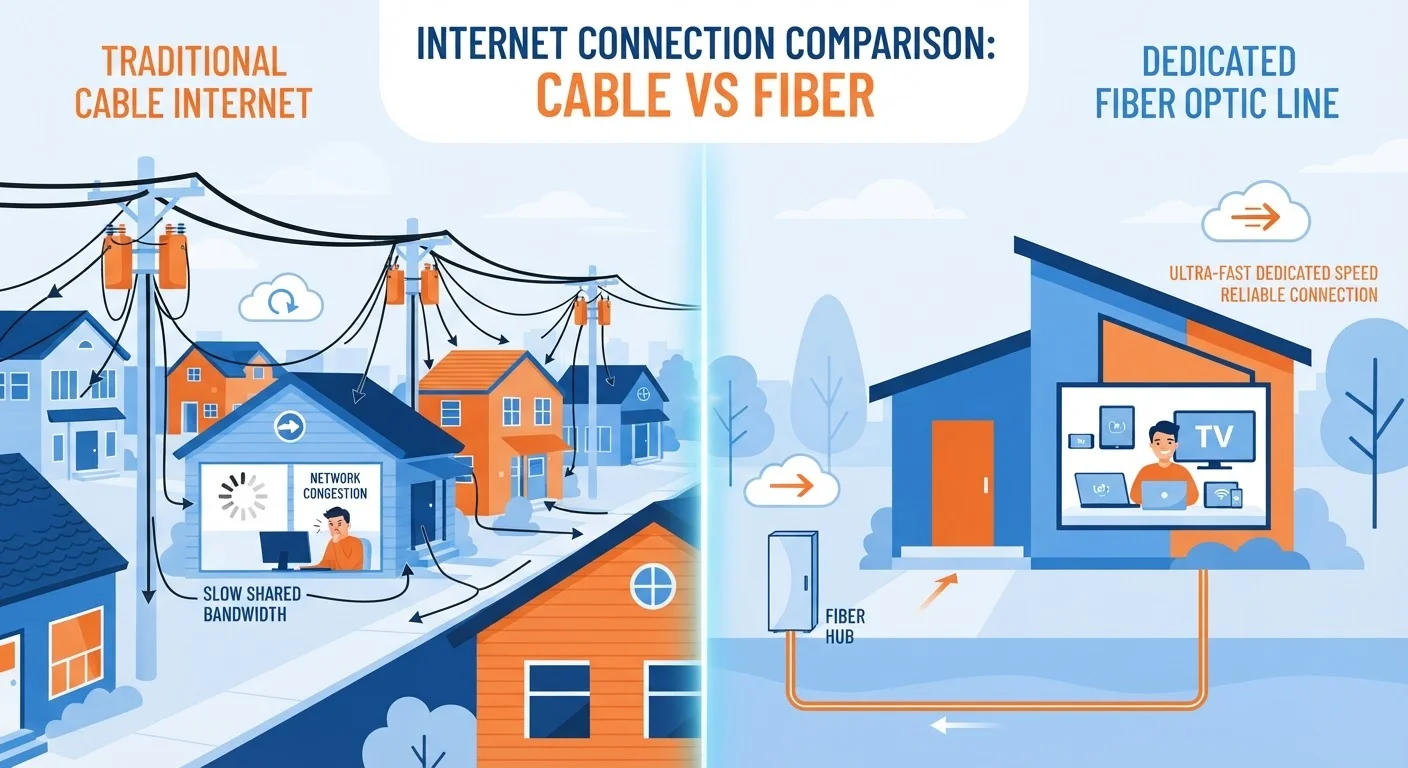
For the majority of American households on cable internet, bandwidth is shared. Your ISP provisions a certain amount of capacity to serve an entire neighborhood node - often dozens or even hundreds of homes. Each subscriber draws from the same pool. When everyone is online at once, that pool gets shallow fast.
To understand why this matters in practice, it helps to think of internet capacity like lanes on a highway. A dedicated connection gives your traffic its own lane at all times. A shared connection puts you in a lane with your neighbors - and during rush hour, everyone slows down together. See our plain-language breakdown of broadband types and speeds for more context on how ISP capacity works overall.
~85%
U.S. homes with access to cable broadband
According to FCC broadband deployment data, cable remains the dominant fixed internet infrastructure reaching American households.
Up to 50%
Speed drop during peak hours on shared networks
FCC Measuring Broadband America reports have documented that some cable ISPs deliver significantly lower speeds during peak evening hours compared to off-peak periods.
7-11 p.m.
Typical peak congestion window
Network engineers and ISP performance reports consistently identify this evening window as the period of highest residential internet demand in the U.S.
How Different Technologies Handle Bandwidth Allocation
Not all internet technologies share capacity the same way. The architecture of your connection type determines how susceptible you are to neighborhood congestion.
- Cable (coaxial): Uses a shared network node that serves an entire area. All subscribers on that node split downstream bandwidth. This is the most common setup in the U.S. and the most prone to peak-hour slowdowns.
- Fiber-to-the-home (FTTH): Each home typically receives its own dedicated fiber strand from the ISP's distribution point to the premises. Speeds are far more consistent because your line isn't shared at the local level. Congestion can still occur at upstream network points, but it's less common.
- DSL: Uses copper phone lines and shares capacity at a local switching point called a DSLAM. Generally lower top speeds than cable, and also subject to shared congestion, though DSL subscriber density is often lower.
- Fixed wireless: Subscribers in a given area share a fixed wireless tower's capacity. This can create significant congestion issues in densely populated coverage zones.
For a deeper look at how each technology works physically, the comparison of fiber, cable, DSL, and fixed wireless covers the technical differences in practical terms. If you're specifically weighing fiber against cable, how fiber and cable hold up under pressure is worth reading.
Run Speed Tests at Different Times
Testing your connection speed only once gives an incomplete picture. Run a speed test during a quiet midday hour and again during a busy evening (around 8-9 p.m.) on a weekday. If results differ by more than 30-40%, shared congestion on your network node is likely the cause - not your router or devices.
What This Means for Your Everyday Experience
Shared bandwidth doesn't make a connection unusable - for many households, cable internet performs perfectly well most of the time. The issue is predictability. During off-peak hours, a shared cable connection may deliver speeds close to what was advertised. During peak evening and weekend hours, speeds can fall to a fraction of that figure, precisely when most households need bandwidth most.
This gap between advertised and real-world performance is well-documented. The FCC's Measuring Broadband America program has consistently found that actual speeds vary by time of day and by ISP, with some cable providers showing steeper performance drops during peak periods than others.
If your household streams video in 4K, participates in video calls for work, or has multiple people gaming simultaneously, these fluctuations matter. Estimating your household's real bandwidth needs can help you decide whether your current plan's ceiling is actually high enough to survive the valley of peak-hour sharing. For a broader look at how advertised speeds compare to real-world performance, see how to read ISP speed claims critically.
The most practical step any subscriber can take is to run speed tests at different times of day - midday on a weekday versus 8 p.m. on a weeknight. A significant gap between those two readings is a reliable indicator that shared congestion, not your equipment, is the limiting factor.
Business-Grade Plans Offer Dedicated Bandwidth
ISPs often offer dedicated bandwidth as a feature of business-grade service tiers, which come with service-level agreements (SLAs) guaranteeing minimum speeds. These plans cost considerably more than residential offerings and are designed for use cases where consistent uptime and speed are critical. For most households, fiber-to-the-home remains the most accessible path to more predictable performance.
Frequently Asked Questions
Evening hours - roughly 7 to 11 p.m. - are peak usage periods when many households stream, game, and browse simultaneously. If you have a shared cable connection, you're dividing neighborhood capacity with everyone else online at the same time, which reduces the speeds each subscriber experiences.
Fiber-to-the-home (FTTH) connections are typically provisioned as dedicated links between the ISP's network and your home, meaning your speeds are far less affected by neighbor activity. However, fiber networks can still experience congestion deeper in the network, at ISP backbone or peering points.
Cable internet (using coaxial cable) is almost always shared at the neighborhood node level. DSL can also be shared at the DSLAM. The most practical test is to run a speed test during off-peak hours (midday on a weekday) and again during peak evening hours - a significant drop suggests shared congestion.
Dedicated bandwidth is standard in business-grade internet plans, which typically cost significantly more than residential tiers. For home users, fiber-to-the-home is the closest widely available option, offering more consistent speeds than cable even if not technically guaranteed-dedicated.
Most residential ISP advertisements do not prominently disclose the shared nature of their networks. The FCC's Broadband Facts label, introduced for transparency, includes some performance disclosures, but details about network architecture still require reading the fine print in service agreements.
The content on this site is provided for informational purposes only and should not be considered a substitute for professional advice. While we strive to provide accurate and up-to-date information, we make no guarantees regarding its completeness or accuracy. Always consult a qualified professional for advice specific to your circumstances before making any decisions.